
Jack
Co-founder
Website design canvas
Your website now opens next to Jack as a design canvas. Click any part of it, edit text in place or draw on the page, and Jack makes the change in a preview you publish when it looks right.
Open Website on the co-founder page to see your site next to Jack, on desktop, tablet or phone.
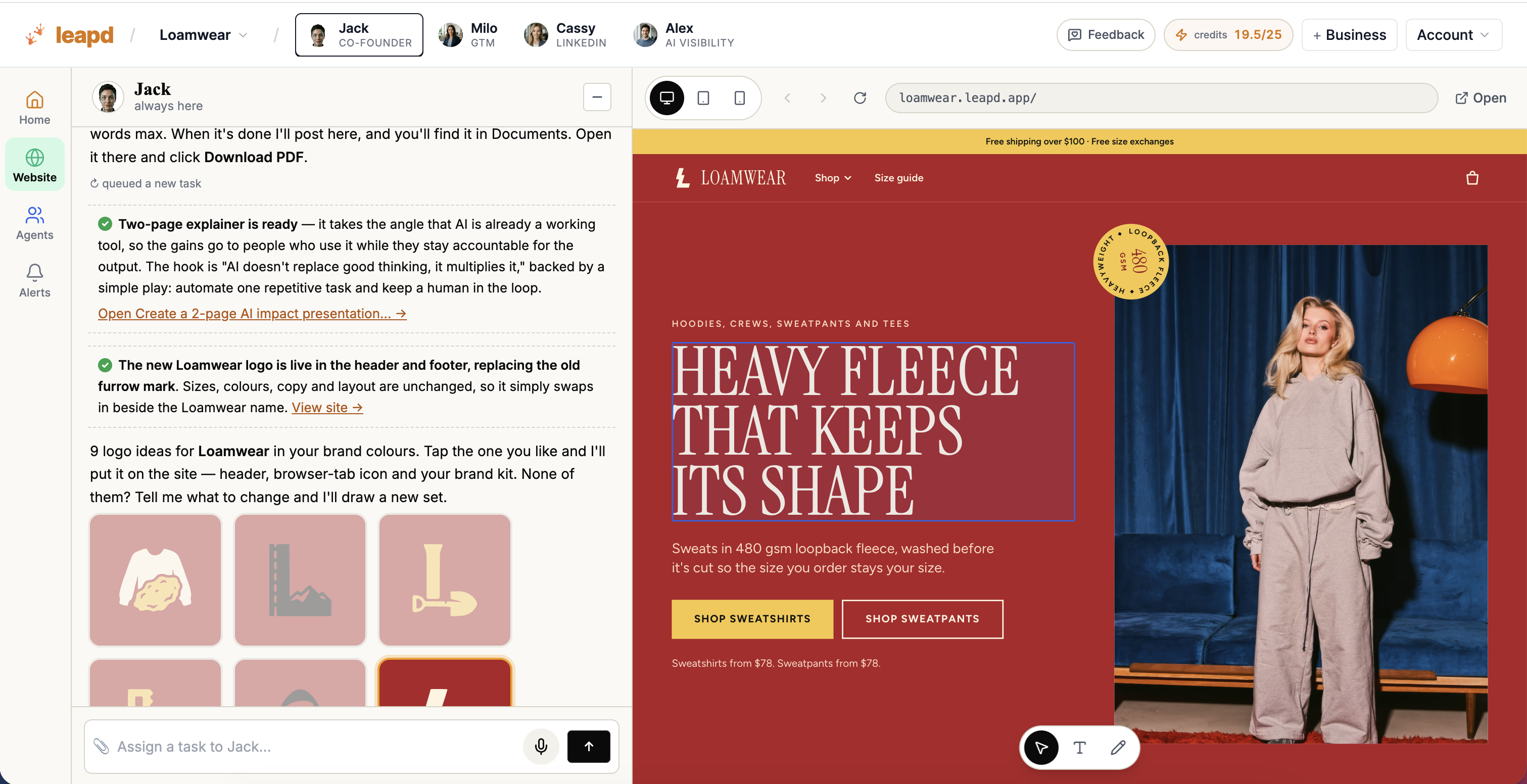
Three tools sit at the bottom of your site:
- Select: click any part of the page and tell Jack what to change. Jack gets a screenshot with that spot marked.
- Text: click any text and type over it. Your edits collect in one list, and Send puts them on the site.
- Draw: circle something, or sketch where a new section should go, and the drawing lands in your chat with Jack.
Every change goes to a preview only you can see. When it looks right, click Publish and your live site updates in about a minute.