Best LinkedIn Automation Tools for Small Business Owners in 2026
Why Small Business Owners Need LinkedIn Automation in 2026 (And Why Most Get It Wrong)
LinkedIn has 1 billion members and generates more B2B leads per visitor than any other social platform. For small business owners and solopreneurs, it's the most accessible channel for reaching decision-makers — without a media budget, a PR team, or a growth hire.
The problem is time. Manually sending connection requests, writing follow-ups, posting content consistently, and tracking who responded is a part-time job on its own. Most small business owners either abandon LinkedIn entirely or churn through it sporadically, posting once a week and wondering why nothing converts.
That's the wrong approach — and it leaves revenue on the table.
The right approach is LinkedIn automation: using business process automation software to handle outreach sequences, content scheduling, and lead follow-up while you focus on higher-leverage work. Done correctly, automated LinkedIn outreach runs 24 hours a day, surfaces warm leads in your inbox, and keeps your profile active and growing — without you touching it daily.
The caveat: most people implement it wrong. They blast generic templates, ignore account safety, or pick tools built for agencies running 50 client accounts — not for a solo founder running one. This guide cuts through the noise. These are the 10 best LinkedIn automation tools specifically for small business owners in 2026, plus exactly how to use them safely.
The LinkedIn Automation Crackdown: What Changed in 2026 and How to Stay Safe
LinkedIn's enforcement has fundamentally shifted. This isn't a minor policy update — it's a structural change in how the platform detects and penalizes automation.
Approximately 40% of accounts using non-compliant automation tools received some form of restriction in Q1 2026, according to industry analysis. Popular cloud tools including HeyReach, Expandi, Dripify, and Waalaxy were all impacted to varying degrees in enforcement waves during that period. LinkedIn isn't just blacklisting individual users — it's targeting the infrastructure of specific automation vendors, meaning an entire customer base can get swept up when one vendor gets flagged.
For small business owners, the risk is acute. Your LinkedIn profile isn't a throwaway asset. It's your professional reputation, your client pipeline, and your personal brand. Getting it restricted sets you back months.
The good news: automation that runs within human-paced limits, uses proper architecture, and stops sequences when someone replies is significantly lower risk than the mass-blast approaches that dominated 2022-2024. Understand the two key variables before you pick any tool.
Cloud-Based vs. Browser Extension: The Only Safety Question That Matters
Browser extensions run automation inside your active browser session. LinkedIn can detect the injected scripts, read the machine-speed click patterns, and flag your account — even when you're only running modest volumes. Extensions also require your browser to stay open for automation to continue, which creates unnatural activity patterns outside normal working hours.
Cloud-based tools run on dedicated remote servers with their own IP addresses. LinkedIn sees activity originating from a consistent, governed source with randomized timing between actions. There's no browser fingerprint to detect. Cloud tools also run 24/7 without your computer being on.
The safety gap is real and measurable. For any meaningful outreach volume, cloud-based LinkedIn automation is the only architecture worth using in 2026. It's worth paying more for.
Safe Daily Limits for LinkedIn Automation in 2026
LinkedIn's unofficial limits in 2026, based on widely documented community testing:
- Connection requests: 20–30/day for established accounts; 10–15/day for accounts under 3 months old
- Messages to connections: up to 100/day (personalized only)
- Weekly connection cap: approximately 100 invitations per week
- Acceptance rate benchmark: maintain above 30% — a lower rate signals spam and accelerates throttling
One additional rule that applies regardless of tool: never run two automation platforms on the same LinkedIn account simultaneously. It compounds action counts and creates conflicting session data that LinkedIn's detection systems read as anomalous.
How We Chose These LinkedIn Automation Tools
This list was built for one specific user: a small business owner or solopreneur running LinkedIn alone, without a dedicated marketing team.
Every tool was evaluated on five criteria:
- Safety architecture — cloud-based vs. browser extension, dedicated IPs, built-in daily limits
- Ease of use — setup time, campaign builder complexity, learning curve for non-technical users
- Relevant features — outreach sequencing, content scheduling, AI personalization, or analytics depending on the use case
- Pricing — value at the solo/small team tier, not enterprise pricing
- Honest trade-offs — what the tool doesn't do well, and who it's actually built for
Tools designed exclusively for large agencies or enterprise sales teams were excluded, even when they're technically capable. The right tool for a solo founder looks very different from the right tool for a 50-seat sales floor.
1. Leapd (Cassy) — Best Overall: Replaces the Entire LinkedIn Stack for $39/Month
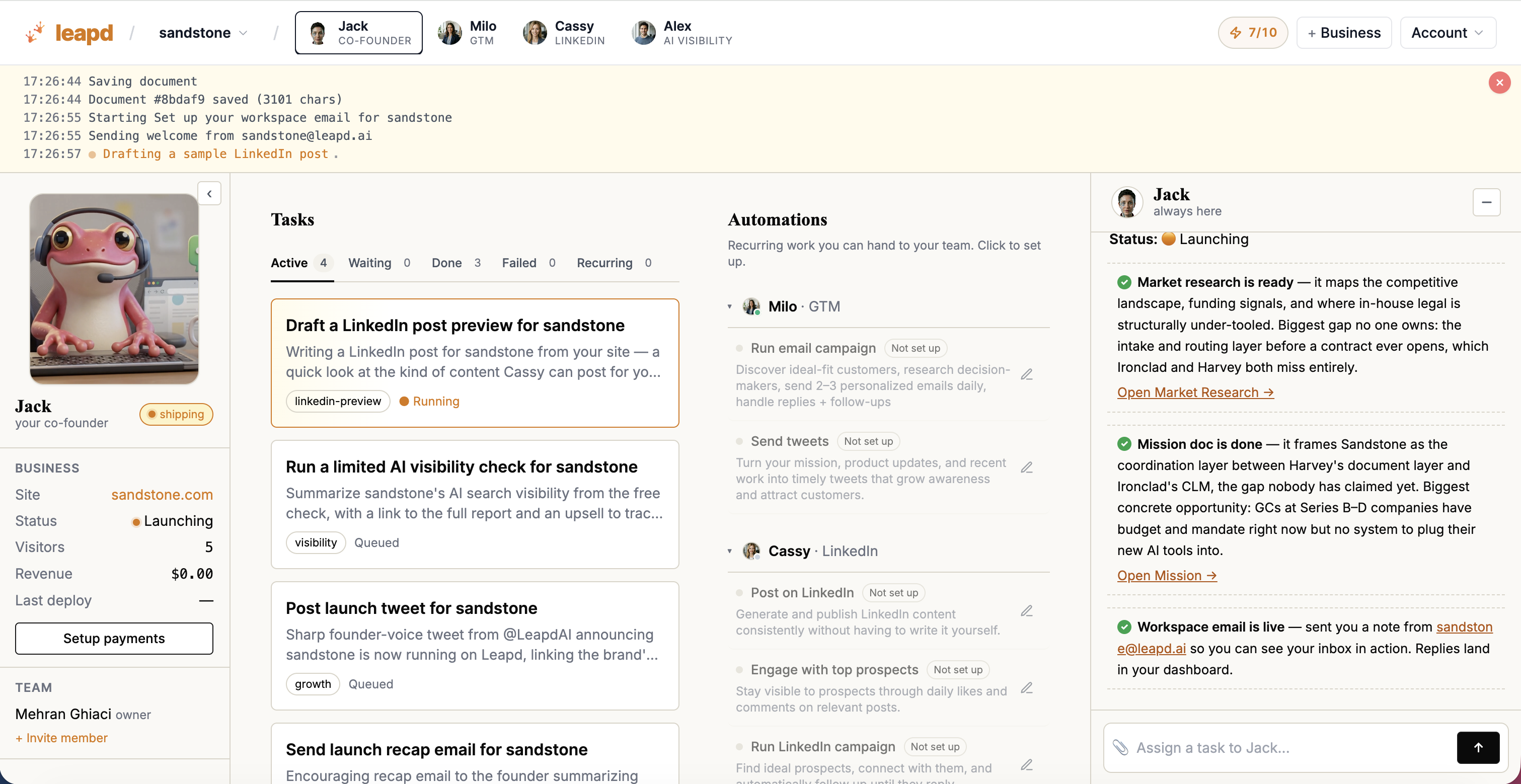
Here's the uncomfortable math behind every other tool on this list: each one solves a single slice of LinkedIn. Content tools don't do outreach. Outreach tools don't find prospects. Prospecting tools don't enrich or score them. Run LinkedIn seriously and you end up patching together five or six subscriptions — and becoming the unpaid project manager who keeps them in sync.
What that patchwork actually costs per month:
| What you're paying for | Typical tools | Monthly cost |
|---|---|---|
| LinkedIn content & scheduling | Taplio · AuthoredUp · Buffer · Hootsuite | ~$89 |
| Engagement & commenting | MagicPost · FENPost · Engage AI | ~$59 |
| Prospect extraction | PhantomBuster · Evaboot · Findymail | ~$119 |
| ICP enrichment & scoring | Clay · Apollo enrichment · Clearbit | ~$135 |
| Outreach & sequences | Lemlist · Instantly · Smartlead · HeyReach | ~$79 |
| Signal tracking & inbox | Common Room · Trigify · manual searching | ~$49 |
| Stack total | ~$530/mo |
Cassy, Leapd's LinkedIn AI coworker, replaces that entire stack for $39/month. Posts, engagement, signals, prospects, outreach, and meetings run in one workflow instead of six dashboards — which puts roughly $491/month back in your pocket, about $5,892 a year, before counting the hours you stop spending gluing tools together.
The second difference is who does the work. The tools below are software you operate: build the sequences, write the templates, watch the dashboards. Cassy is a coworker you set up once. She publishes LinkedIn content in your voice — trained on your last 30 posts and brand doc, with voice similarity above 0.9, so drafts read like you rather than a template. She comments where your buyers actually are, watches signals and competitors continuously, extracts and enriches every engager, scores them against the buyer criteria you define, and runs warm outreach that sounds like you — then hands you a list ready to meet. To date the platform has tracked 2.3M+ LinkedIn signals daily, qualified 180K+ buyers, and booked 14K+ meetings for its customers.
On the safety question that anchors this guide, Cassy is on the conservative end of this list: she works through official APIs only — no scraping, no automation against LinkedIn's terms — stays within LinkedIn's safe rate limits (200 invites/week, conservative comment frequency), and only posts content you approve.
And because Cassy is part of Leapd, your LinkedIn doesn't run in isolation: the same platform coordinates it with your ads, your offers, and revenue leak detection that finds money you're already losing. New founders can start even earlier — from a one-sentence idea to a live business with its LinkedIn presence already running.
What makes Cassy different from every other tool on this list:
- Six categories, one subscription. Content, engagement, prospect extraction, enrichment, outreach, and signal tracking — the full pipeline, not one slice of it.
- One workflow, not six dashboards. A prospect who engages your post flows straight into scoring and outreach — no CSV exports between vendors.
- Set up once, runs continuously. No sequences to rebuild or campaigns to babysit; you get warm leads and next moves, not another tool to manage.
- $491/month cheaper than the stack it replaces. At $39/month, Cassy costs less than most single-purpose tools in this list.
Best for: Small business owners, solopreneurs, and founders who want the entire LinkedIn motion — content through booked meetings — handled by one coworker instead of a six-tool stack. Team ($59/seat/month) and Agency ($59/month, unlimited LinkedIn accounts) plans cover founding teams and agencies.
Pricing: Free plan to start — 5 posts, 5 AI images, and 25 idea generations as lifetime credits, no credit card required. Pro is $39/month. Start saving with Cassy →
2. Expandi — Cloud-Based Outreach Sequences (Outreach Only)
Expandi is one of the better-known cloud-based LinkedIn outreach tools. Its main selling point is account safety architecture — every account gets a dedicated country-based IP address, automatic profile warm-up, smart daily limits, and randomized delays that mimic human behavior.
The platform's Smart Campaign Builder supports up to 9 actions and 8 conditions in a single sequence, allowing for sophisticated if-then logic: if a prospect accepts your connection request, a follow-up message sends automatically; if they ignore it, an InMail triggers instead. A/B testing across message templates is included on all plans.
For personalization, Expandi integrates with Hyperise and Sendspark for dynamic image and GIF personalization in LinkedIn messages — a feature that meaningfully boosts reply rates but requires a paid add-on on top of your subscription. The Mobile Connector campaign type sends connection requests that mimic mobile behavior patterns, helping accounts exceed standard weekly caps more safely.
Key features: Cloud-based with dedicated IP per account · Smart sequences with if-then logic · A/B testing · HubSpot, Salesforce, Pipedrive integrations · Duplicate prevention across campaigns
Pricing: $99/month per seat ($79 on annual billing). Agency pricing (10+ seats) requires a call.
Limitations: Outreach only — content, engagement, prospect extraction, and enrichment all require separate tools on top. At $99/seat, cost scales quickly for multi-user setups. Image/video personalization and some integrations are paid add-ons. Steeper learning curve than beginner tools. Some users still report restrictions if daily limits aren't set conservatively.
3. Dripify — Simpler Outreach Campaigns for Beginners
Dripify is one of the easier configurable outreach tools to learn. If you're set on building and managing your own campaigns, its drag-and-drop builder keeps the learning curve manageable — though it's still software you operate, not something that runs itself.
The platform uses proprietary algorithms that mimic human behavior patterns, running your campaigns from the cloud with a unique local IP address. It includes hyper-personalization with over 20 variables and AI-generated icebreaker suggestions for connection requests. The unified smart inbox centralizes all your LinkedIn conversations — you can reply, add notes, mark conversations, and use templates without leaving the dashboard.
For small teams, role-based permissions and team management features are available on higher tiers. 100 email finder credits are included on paid plans, and webhook integrations enable custom workflows.
Key features: Cloud-based with unique local IP · Drag-and-drop campaign builder · 20+ personalization variables · AI icebreakers · Smart inbox · Team management · Webhook integrations
Pricing (annual): Basic $39/user/month · Pro $59/user/month · Advanced $79/user/month. Daily quotas range from 20 connection requests on Basic to 75+ on Advanced.
Limitations: Outreach only — you'll still need separate tools for content, prospecting, and enrichment. The Basic plan's daily limits (20 connections, 30 messages) are genuinely restrictive for active prospectors. Lacks the multi-channel email sequencing that more advanced tools offer at this price point.
4. HeyReach — Multi-Account Outreach Rotation
HeyReach addresses a narrower problem: scaling outreach across several LinkedIn accounts at once. Its multi-sender rotation distributes connection requests and messages across multiple accounts within the same campaign, multiplying daily outreach volume without any single account exceeding LinkedIn's limits — a setup that mostly matters for agencies, not solo owners.
It holds a 4.7 rating on G2. The unified inbox (called Unibox) consolidates messages from all connected accounts into a single interface, letting you reply on behalf of colleagues, tag leads, and sync conversations to CRMs including HubSpot, Pipedrive, Close, and GoHighLevel.
For technically inclined users, HeyReach is the first LinkedIn automation tool to support MCP (Model Context Protocol), enabling direct integration with AI agents like Claude for fully autonomous workflows: starting campaigns, tagging replies by sentiment, and pushing data to your CRM on autopilot.
Key features: Multi-sender account rotation · Unified inbox across all accounts · MCP server for AI agent integration · Native integrations with Clay, RB2B, Trigify, Instantly, Smartlead · Built-in email finder · Hard 40 actions/day limit per account for safety
Pricing: Growth from $79/sender/month. Micro Agency $999/month (25 senders). Agency $1,399/month (50 senders).
Limitations: Pricing model scales by sender, making it expensive for solo users. Email outreach works through integrations — not natively built in. Agency plans require bringing your own proxies. Complex for first-time automation users. HeyReach also received enforcement attention from LinkedIn in early 2026.
5. Waalaxy — Free Tier for Basic Outreach Tests
Waalaxy (formerly ProspectIn) offers a free tier with 80 invitations per month and basic campaign functionality — one way to test automated LinkedIn lead generation before committing budget, though note that Cassy's free plan gets you started without the browser-extension risk that comes with Waalaxy's architecture.
The platform includes 99+ pre-made campaign templates, an AI Prospect Finder for building targeted contact lists, and Waalaxy AI for writing connection messages. CRM integration covers HubSpot, Salesforce, and Pipedrive. The interface is minimal and well-designed — most users launch their first campaign in under 10 minutes.
The key limitation to understand upfront: Waalaxy operates primarily as a browser extension, which carries higher detection risk than cloud-based alternatives. This is manageable at low volumes on the free plan, but becomes a real concern if you're scaling outreach on paid tiers.
Key features: Free tier with 80 invitations/month · 99+ campaign templates · AI message writing · AI Prospect Finder · Email finder and verification · GDPR-compliant · HubSpot, Salesforce, Pipedrive integrations
Pricing: Free: 80 invitations/month · Pro: €19/month (800 invitations/month) · Business: €69/month (multi-channel, email integration)
Limitations: Browser extension architecture means higher account restriction risk at volume. Not suitable for running high-volume automated outreach safely. Email integration only on the Business tier.
6. Linked Helper — Low-Cost Desktop Automation
Linked Helper starts at $15/month and covers a reasonable range of outreach basics: 30+ automated LinkedIn actions, a built-in CRM with unlimited campaigns, drip campaigns with IF-THEN-ELSE logic, Spintax (automatic message variation), and a built-in email finder.
Unlike browser extensions, Linked Helper runs as a standalone desktop application that avoids browser fingerprinting. It's rated 4.8 on Capterra and 4.9 on Trustpilot. It's a workable budget pick for drip-campaign control — though at $15–45/month for one slice of the workflow, it's not far from Cassy's $39 for the entire pipeline.
The trade-off is meaningful: it runs as a desktop app, which means automation stops when you close the program. It also lacks a true unified inbox and has limited team features.
Key features: 30+ automated LinkedIn actions · Built-in CRM · IF-THEN-ELSE drip logic · Spintax for message variation · Email finder (620 credits on Standard) · Expanded integrations including HubSpot, Salesforce, ActiveCampaign, Google Sheets, Make, Zapier
Pricing: Standard: $15/month ($8.25/month annually) · Pro: $45/month ($24.75/month annually).
Limitations: Stops running when your computer is off. Desktop app feels heavier than cloud tools. Managing replies is harder than dedicated inbox tools. Limited multi-account support — one license runs one account at a time.
7. Taplio — LinkedIn Content Scheduling and Analytics
Taplio occupies a different lane from the outreach-focused tools above. It's a LinkedIn content creation, scheduling, and analytics platform — a dedicated option for owners focused on building an audience through content rather than cold outreach, covering the content slice and nothing beyond it.
The platform's AI uses GPT-4 to generate post ideas, write drafts, and analyze what's working across your niche. A viral post library shows you what content is performing in your industry, giving you a research-backed starting point. Taplio's analytics dashboard tracks followers, impressions, engagement, and individual post performance over time — with the ability to manage multiple accounts and benchmark against competitors.
As a marketing automation software for small business focused on content, Taplio pairs naturally with an outreach tool. Content builds your authority; outreach puts you in front of new prospects. They serve different — and complementary — functions. If AI-written content in your actual voice is the priority, it's worth seeing how Cassy compares to Taplio before choosing.
Key features: GPT-4 AI content creation · Viral post library for inspiration · Best-time-to-post suggestions · LinkedIn analytics dashboard (impressions, engagement, follower growth) · Carousel creation · First-comment scheduling · CRM-light contact management with relationship tracking
Pricing: From $39/month. Trusted by 6,200+ LinkedIn professionals.
Limitations: Content and analytics only — no outreach automation or connection request sequencing. Needs a separate tool if lead generation is the goal.
8. LaGrowthMachine — Multi-Channel LinkedIn + Email Sequences
LaGrowthMachine (LGM) covers more channels than most tools on this list — LinkedIn, email, and X (Twitter) outreach from a single visual workflow builder — at a price and complexity to match. It coordinates profile visits and post likes as warm-up actions before any direct connection request lands.
Every account gets a dedicated 5G mobile proxy. LGM has been automating LinkedIn campaigns since 2017 and holds a 4.6/5 rating across 427 reviews. The waterfall email enrichment layer pulls from 10 separate data providers to find a verified email for each prospect.
Standout features include AI voice message cloning (record once, LGM generates a unique personalized voice message for each prospect saying their name) and Lookalike Search, which analyzes your existing best clients and automatically surfaces similar companies for outreach.
Key features: LinkedIn + email + X + calls in one sequence · Dedicated 5G mobile proxy per identity · Waterfall enrichment from 10 providers · AI voice message cloning · Lookalike Search · Unified inbox from Pro tier · A/B testing · 100+ integrations including HubSpot, Pipedrive, Clay, Zapier
Pricing (annual): Basic €60/identity/month (LinkedIn + email, up to 3 identities) · Pro €120/identity/month (adds calls, unified inbox, A/B testing, unlimited identities) · Ultimate €120/identity/month (adds X/Twitter, full CRM sync)
Limitations: Pricing grows fast as you add identities. Unified inbox, A/B testing, and calls are locked to Pro tier. Full HubSpot/Pipedrive two-way sync requires Ultimate. Complex sequences have a real learning curve. Not the right tool for users who just want simple LinkedIn outreach.
9. Octopus CRM — Lightweight Budget Prospecting (Browser Extension)
Octopus CRM is the cheapest entry on this list at $9.99/month and covers the basics only: automated connection requests in bulk, personalized messages to first-degree connections, skill endorsements, and profile view automation. A built-in personal CRM dashboard tracks who accepted, responded, and engaged.
The "Connect via email" feature lets you reach prospects outside your immediate network by using an email address to bypass standard connection request limits. It can serve for light, low-volume prospecting tests — with the browser-extension caveats below.
Be clear-eyed about the trade-off: Octopus CRM operates as a browser extension. That means higher detection risk than cloud tools, no always-on operation (your browser must be open), and a less sophisticated safety layer. It's appropriate for low-to-moderate volumes with conservative daily settings — not for running the kind of large-scale automated outreach sequences that generate meaningful lead volume.
Key features: Automated bulk connection requests · Bulk messaging to 1st-degree connections · Skill endorsement automation · Profile visit automation · Personal CRM dashboard · Campaign analytics · "Connect via email" feature · Zapier and HubSpot integrations
Pricing: Starter: $9.99/month · Pro: $14.99/month · Advanced: $21.99/month · Unlimited: $39.99/month.
Limitations: Browser extension with higher account restriction risk. Requires manual daily limit discipline. No cloud operation — stops when your browser closes. Less sophisticated personalization than cloud-based tools.
10. Lemlist — Email-First Sequencing with a LinkedIn Add-On
Lemlist started as an email tool and grew into a multi-channel sales engagement platform. It's an option for owners whose primary channel is email and who want LinkedIn touches added to the same sequence — with the caveat that LinkedIn support sits behind its most expensive standard tier.
The platform includes Lemwarm (email warm-up) on all plans, a 600M+ verified contact database with real-time intent signals (job postings, funding events, website visits), and AI-generated personalization including dynamic images and AI voice messages for LinkedIn outreach. It's used by 20,000+ sales teams and is rated 4.6/5 on both G2 and Capterra. SOC 2 Type II certification confirms strong security standards.
The important caveat: LinkedIn automation is only available on the Multichannel Expert plan at $87/user/month (annual). The cheaper Email Pro plan at $63/user/month does not include LinkedIn. If LinkedIn is your primary channel, the pricing makes less sense than a dedicated LinkedIn outreach tool.
Key features: Email + LinkedIn + calls + WhatsApp in one sequence · Lemwarm email deliverability included · 600M+ contact database with intent signals · AI icebreakers, dynamic images, AI voice messages · Unified multichannel inbox (Multichannel Expert+)
Pricing (annual): Email Pro: $63/user/month · Multichannel Expert: $87/user/month (LinkedIn included) · Enterprise: custom
Limitations: LinkedIn only available on the $87+ tier. Reporting is functional but less detailed than LinkedIn-specific tools. Complex interface at advanced levels. Add-ons (WhatsApp, extra phone numbers) increase total cost significantly.
LinkedIn Automation Tools Compared: Quick Reference Table
| Tool | Type | Starting Price | Best For | Safety Architecture |
|---|---|---|---|---|
| Leapd (Cassy) | All-in-one LinkedIn coworker | Free / $39/mo | Replacing a ~$530/mo six-tool stack | Official APIs only, LinkedIn-safe limits |
| Expandi | Outreach sequences | $79/mo (annual) | Personalized cloud outreach | Cloud, dedicated IP per account |
| Dripify | Outreach sequences | $39/mo (annual) | Beginners, small teams | Cloud, unique local IP |
| HeyReach | Multi-account outreach | $79/sender/mo | Multiple LinkedIn accounts | Cloud, hard 40 action/day limit |
| Waalaxy | Outreach + email | Free / €19/mo | Free tier testing | Browser extension |
| Linked Helper | Outreach + CRM | $15/mo | Budget solo founders | Desktop app (no browser injection) |
| Taplio | Content + analytics | $39/mo | LinkedIn content creators | Content platform (no outreach) |
| LaGrowthMachine | Multi-channel | €60/identity/mo | LinkedIn + email + X | Cloud, 5G mobile proxy per account |
| Octopus CRM | Basic outreach | $9.99/mo | Light prospecting on a budget | Browser extension |
| Lemlist | Email + LinkedIn | $63/mo ($87 for LinkedIn) | Email-first with LinkedIn support | Cloud (LinkedIn via extension add-on) |
How to Choose the Right LinkedIn Automation Tool for Your Business
The decision comes down to three questions.
What's your primary goal? If it's the whole motion — content, engagement, prospecting, and outreach feeding each other — Cassy covers all of it for $39/month, and that's the setup most small business owners should default to. If you specifically want to build and manage your own outreach campaigns, configurable tools like Expandi, Dripify, HeyReach, or LaGrowthMachine handle connection sequences and follow-ups — but each covers only that slice, so plan for more tools (and more of your time) around them. Taplio is the equivalent single-slice option for content.
What's your budget and technical tolerance? The cheapest real starting point on this list is Cassy's free plan — lifetime credits, cloud architecture, no card. If you'd rather run a configure-it-yourself tool at low volume, Waalaxy's free tier, Octopus CRM at $9.99/month, or Linked Helper at $15/month exist — just run them conservatively and remember each covers one function, so costs compound as you add the rest. Before committing to any stack, it's worth adding up what it actually costs — we broke down the real cost of a LinkedIn lead generation stack line by line.
Do you need email and LinkedIn in one platform? LaGrowthMachine and Lemlist both handle multi-channel outreach. LGM is stronger for LinkedIn-led sequences; Lemlist is stronger if email is your primary channel and LinkedIn is a supporting touchpoint. If you want true ai tools for business automation that spans your entire outreach stack — not just LinkedIn — these are the tools worth evaluating. And if you're building out the broader toolkit beyond automation, see the LinkedIn marketing tools B2B teams actually use.
One note on stacking tools: it's tempting to combine a content tool like Taplio with an outreach tool like Expandi and an email tool like Lemlist. That can work, but you're now paying three subscriptions and managing all three — and the typical full stack lands around $530/month across six categories. If the reason you're considering automation is to save time and money, a single platform that covers the whole pipeline — like Cassy at $39/month — usually wins on both dollars and hours returned.
Frequently Asked Questions
Is LinkedIn automation safe in 2026? Yes, with the right architecture and limits. Cloud-based tools using dedicated IPs, randomized action timing, and human-paced daily limits carry meaningfully lower risk than browser extensions or tools that fire at machine speed. The risk is never zero — LinkedIn can update its enforcement at any time — but staying within 20–30 connection requests per day, maintaining a 30%+ acceptance rate, and stopping sequences when someone replies dramatically reduces your exposure.
What is the best LinkedIn automation tool for small business owners? For most owners, Cassy by Leapd — it replaces the typical six-tool LinkedIn stack (content, engagement, prospecting, enrichment, outreach, and signal tracking, roughly $530/month combined) with one $39/month coworker that runs the whole workflow. Configure-it-yourself outreach tools like Dripify or Expandi are the alternative if you want hands-on campaign control — but they cover only the outreach slice, so budget for the rest of the stack alongside them.
Are free LinkedIn automation tools worth using? For testing, yes — with the right one. Cassy's free plan (5 posts, 5 AI images, 25 idea generations — lifetime credits, no card) is the only free option on this list that isn't a browser extension. The other free tiers out there run as extensions, which carry the detection risk covered earlier, and they cap volume too aggressively to drive meaningful lead flow. The minimum viable investment for serious results is around $39/month.
What's the difference between LinkedIn-specific tools and multi-channel platforms? LinkedIn-specific tools (Expandi, Dripify, HeyReach, Octopus CRM) run deeper features within LinkedIn — better if LinkedIn is your primary acquisition channel. Multi-channel platforms (LaGrowthMachine, Lemlist) coordinate LinkedIn with email and other channels — better if you want to follow up across touchpoints. The right choice depends on where your buyers actually respond.
What is LinkedIn Sales Navigator and do I need it? LinkedIn Sales Navigator is LinkedIn's own premium prospecting tool at $99.99/month per user. It's not an automation tool — it's an advanced search and lead management layer. It provides 30+ search filters, AI-powered lead recommendations, real-time activity alerts, and CRM integration (Salesforce, HubSpot). Many of the outreach tools above integrate directly with Sales Navigator to pull targeted lead lists. If you're doing active prospecting at any serious volume, Sales Navigator is foundational infrastructure, not optional.
Can I run LinkedIn automation without any technical knowledge? Yes. The simplest route is Leapd, which requires no configuration at all — the AI generates and runs its own tasks without user input. Among configure-it-yourself tools, Dripify's drag-and-drop builder and Waalaxy's template library are approachable, though you're still building and maintaining campaigns. The tools that genuinely require technical knowledge are ones like PhantomBuster (complex credit and workflow systems) or LaGrowthMachine at the advanced tier — both are worth avoiding until you've run simpler campaigns successfully.
The Bottom Line: Which LinkedIn Automation Tool Should You Use?
For most small business owners, the real question isn't which outreach tool to configure — it's how to get LinkedIn generating leads without becoming another thing to manage.
The tools on this list range from $9.99/month browser extensions to sophisticated multi-channel platforms at $120+/month per identity. Most of them will work if you configure them correctly, maintain safe daily limits, and write connection messages that don't sound like copy-paste templates. But each covers one slice of the pipeline — so "most of them will work" usually means paying for four or five of them, around $530/month for the full stack.
Cassy is the exception: one $39/month coworker that handles posts, engagement, prospects, outreach, and meetings in a single workflow — about $5,892 a year back in your pocket versus the patchwork. And because it's part of Leapd, your LinkedIn connects to the full picture of a business that grows itself: content, outreach, ads, and growth tasks all running while you focus on delivery.
Set Cassy up once. Keep getting customers — without paying six other vendors to do what one coworker handles.